Trends

Spot the pattern before
it becomes the problem

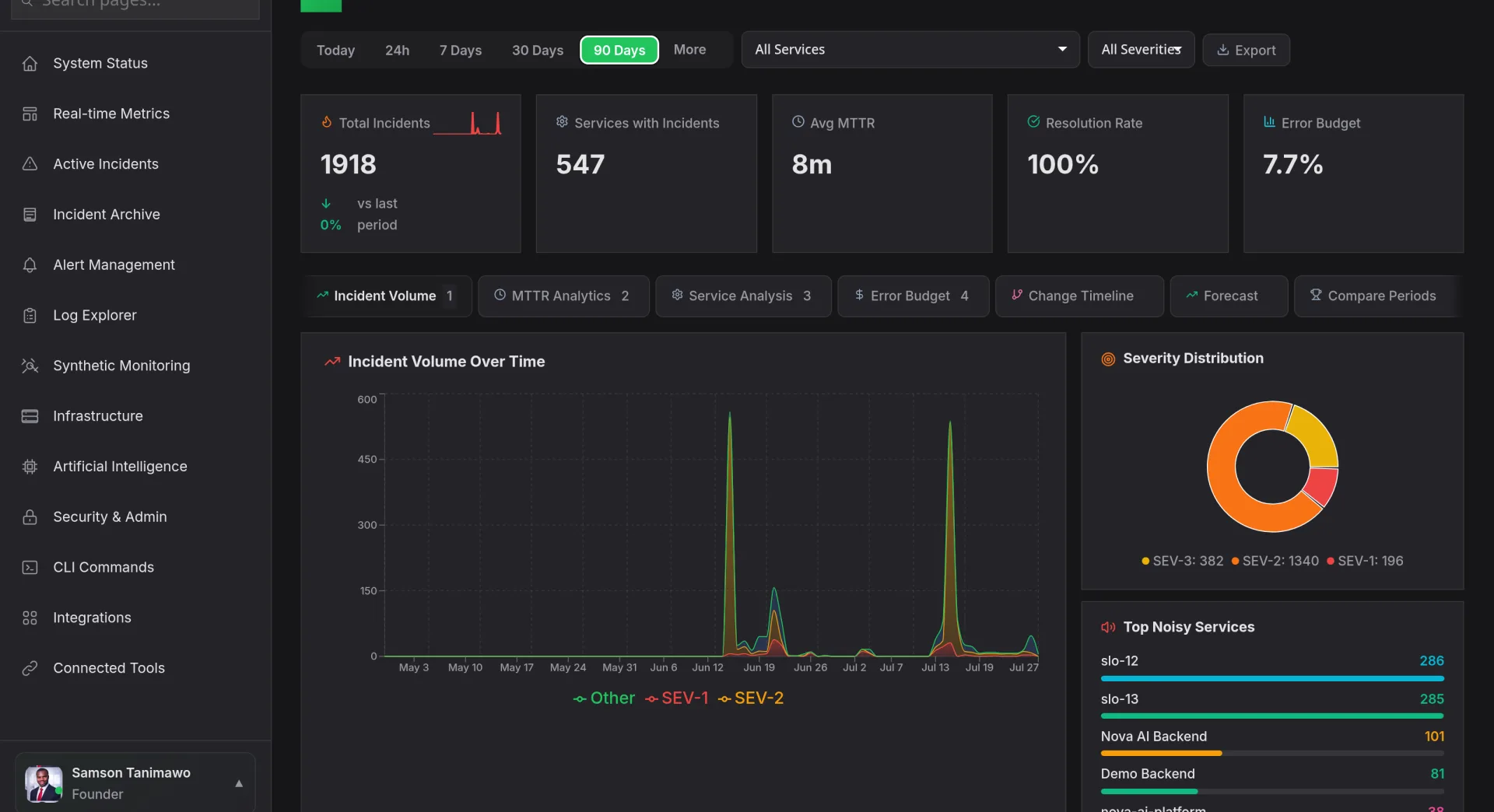
Trends transforms raw metrics and incident data into multi-chart visualizations that reveal seasonal patterns, emerging regressions, and long-term shifts. Overlay incident frequency against deployment cadence, compare error rates across quarters, and let AI surface the trends your team would otherwise miss.
Start Free Trial Watch Demo
app.novaaiops.com · Trends
● LIVE
Nova AI Trends Dashboard
12+
Multi-chart analysis
ML
Trend forecasting
Auto
Seasonal patterns
AI
Anomaly highlighting
Multi-Chart Analysis

Line charts, bar charts, heat maps: all on one canvas

Trends gives you a composable canvas where you can stack line charts, bar charts, scatter plots, and heat maps in any arrangement. Overlay incident count against deploy frequency. Compare P99 latency across three services on the same time axis. Every chart is interactive, click any data point to drill into the underlying events.

  • Composable layout: drag, resize, and stack charts in any arrangement that tells your story
  • Shared time axis: all charts synchronize zoom and pan so correlations are visually obvious
  • Click-to-drill: any data point links to the underlying incidents, deploys, or metric samples
app.novaaiops.com · Multi-Chart View
Multi-chart trend analysis
Trend Forecasting

See where your metrics are headed: before they get there

Trends uses machine learning to project metrics forward based on historical patterns. If your error rate has been climbing 2% per week for the past month, Trends draws the projection line and alerts you when it will breach your SLO. Capacity planning, budget forecasting, and regression detection all become proactive instead of reactive.

  • SLO breach prediction: Trends estimates when a metric will cross your SLO threshold at current trajectory
  • Confidence intervals: forecasts include 90% and 99% confidence bands so you know the range of outcomes
  • What-if modeling: adjust parameters to see how scaling, traffic shifts, or code changes would affect the trend
app.novaaiops.com · Forecasting
Trend forecasting
Seasonal Patterns & Anomalies

Distinguish normal peaks from real problems

Trends automatically detects daily, weekly, and monthly seasonality in your data. Monday morning traffic spikes and Friday deployment lulls are learned and factored out, so when a real anomaly occurs, it stands out clearly against the seasonal baseline. No more false alarms from predictable patterns.

  • Auto-seasonality detection: daily, weekly, and monthly cycles are learned without manual configuration
  • Deseasonalized view: toggle to see metrics with seasonal effects removed, exposing true trend direction
  • Anomaly annotations: deviations from seasonal baselines are flagged with severity and potential cause
app.novaaiops.com · Seasonal Analysis
Seasonal patterns and anomaly detection

Turn raw data into actionable trend insights

Trends gives your team forecasting, seasonal analysis, and multi-chart visualization to catch problems before they escalate.

Start Free Trial Request a Demo