Timeline Analytics

Every event on one timeline,
every pattern visible at once

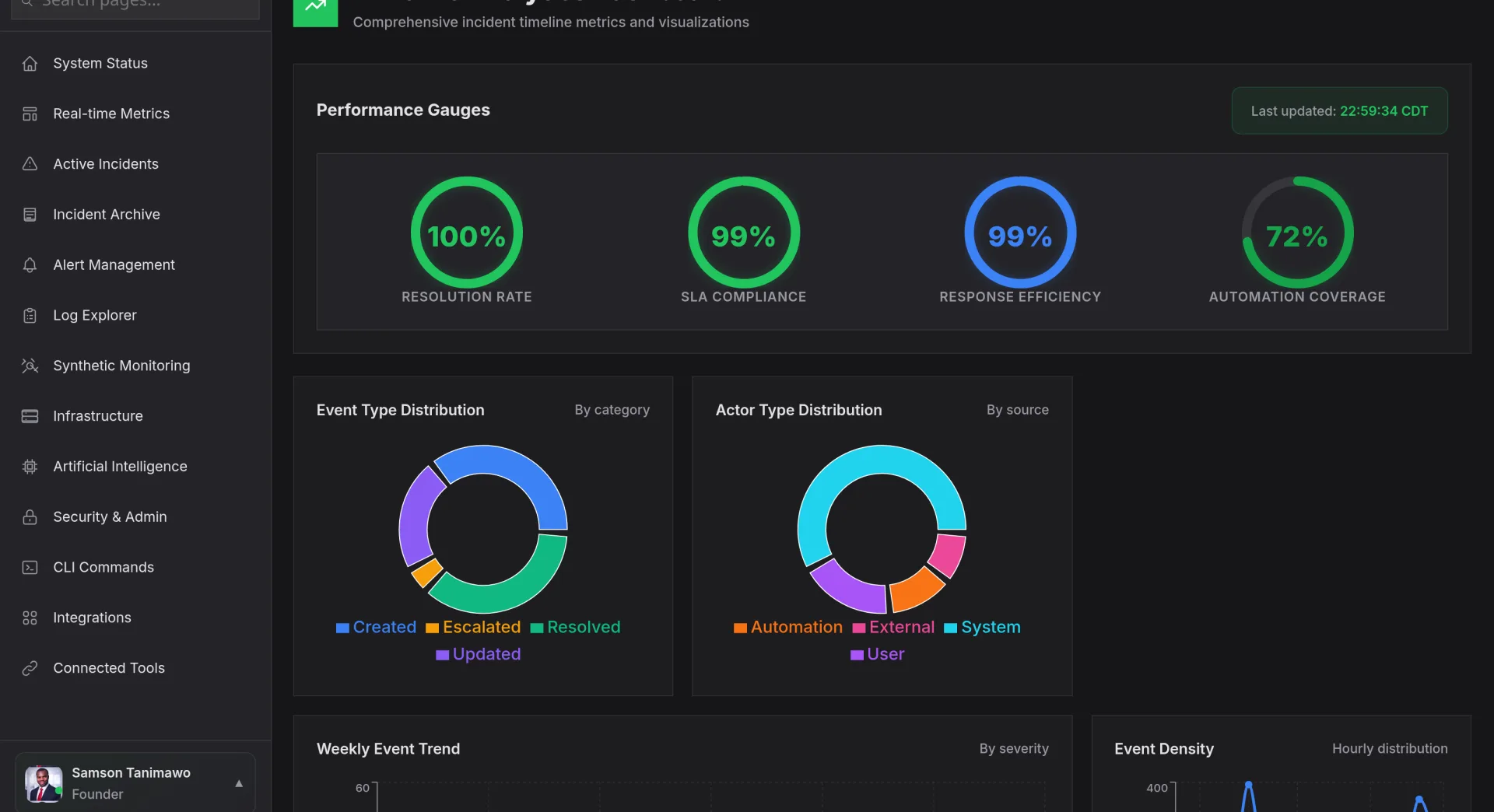
Timeline Analytics plots deployments, incidents, alerts, scaling events, and configuration changes on a unified timeline. See activity density by hour, identify peak periods, and correlate events across teams. When something goes wrong at 2:47 AM, scrub back the timeline to see exactly what happened, and who did it, in the minutes before.
Start Free Trial Watch Demo
app.novaaiops.com · Timeline Analytics
● LIVE
Nova AI Timeline Analytics
Unified
Event timeline view
Heat map
Activity density
24h
Peak hour analysis
All teams
Cross-team visibility
Unified Event Timeline

Deployments, incidents, and changes: one chronological view

Timeline Analytics aggregates events from every source, CI/CD pipelines, incident management, change management, auto-scaling, and configuration systems, onto a single chronological timeline. Color-coded markers distinguish deploys from incidents from config changes. Zoom from a 30-day overview to a 5-minute window with a scroll gesture.

  • Multi-source aggregation: events from GitHub, Jenkins, PagerDuty, Terraform, and 50+ other sources on one timeline
  • Color-coded event types: instantly distinguish deploys (blue), incidents (red), scaling (green), and config changes (amber)
  • Infinite zoom: seamlessly zoom from quarterly overview to second-level granularity
app.novaaiops.com · Event Timeline
Unified event timeline
Activity Density & Peak Hours

Find out when your platform is busiest: and most fragile

A density heat map shows event concentration by hour and day of week. See that most incidents cluster on Tuesday afternoons after the weekly deploy train, or that scaling events spike every Friday evening. Peak hour analysis helps you plan maintenance windows, schedule deploys during quiet periods, and staff on-call rotations to match actual risk.

  • Hour-of-day heat map 24x7 grid showing event density so you see exactly when activity peaks
  • Deploy-to-incident correlation: overlay deploy times against incident start times to find risky deployment windows
  • Quiet period detection: AI identifies the safest maintenance windows based on historical event density
app.novaaiops.com · Activity Density
Activity density heat map
Cross-Team Visibility

See what every team is doing: on the same timeline

Timeline Analytics groups events by team, so you can see each team's activity as a separate lane on the timeline. When the frontend team deploys at the same time the database team runs a migration, you see both events side by side. Cross-team event collisions become visible, making it easy to coordinate changes and identify who contributed to an incident.

  • Team swim lanes: each team gets its own horizontal lane on the timeline for at-a-glance comparison
  • Collision detection: overlapping events from different teams are highlighted to surface coordination gaps
  • Impact attribution: when an incident occurs, timeline shows which team's recent activity is most likely to be the cause
app.novaaiops.com · Cross-Team View
Cross-team timeline visibility

See every event, every team, one timeline

Timeline Analytics gives your organization a shared chronological view of deployments, incidents, and changes across every team.

Start Free Trial Request a Demo