Severity Heatmap

See your incident patterns
in a single calendar view.

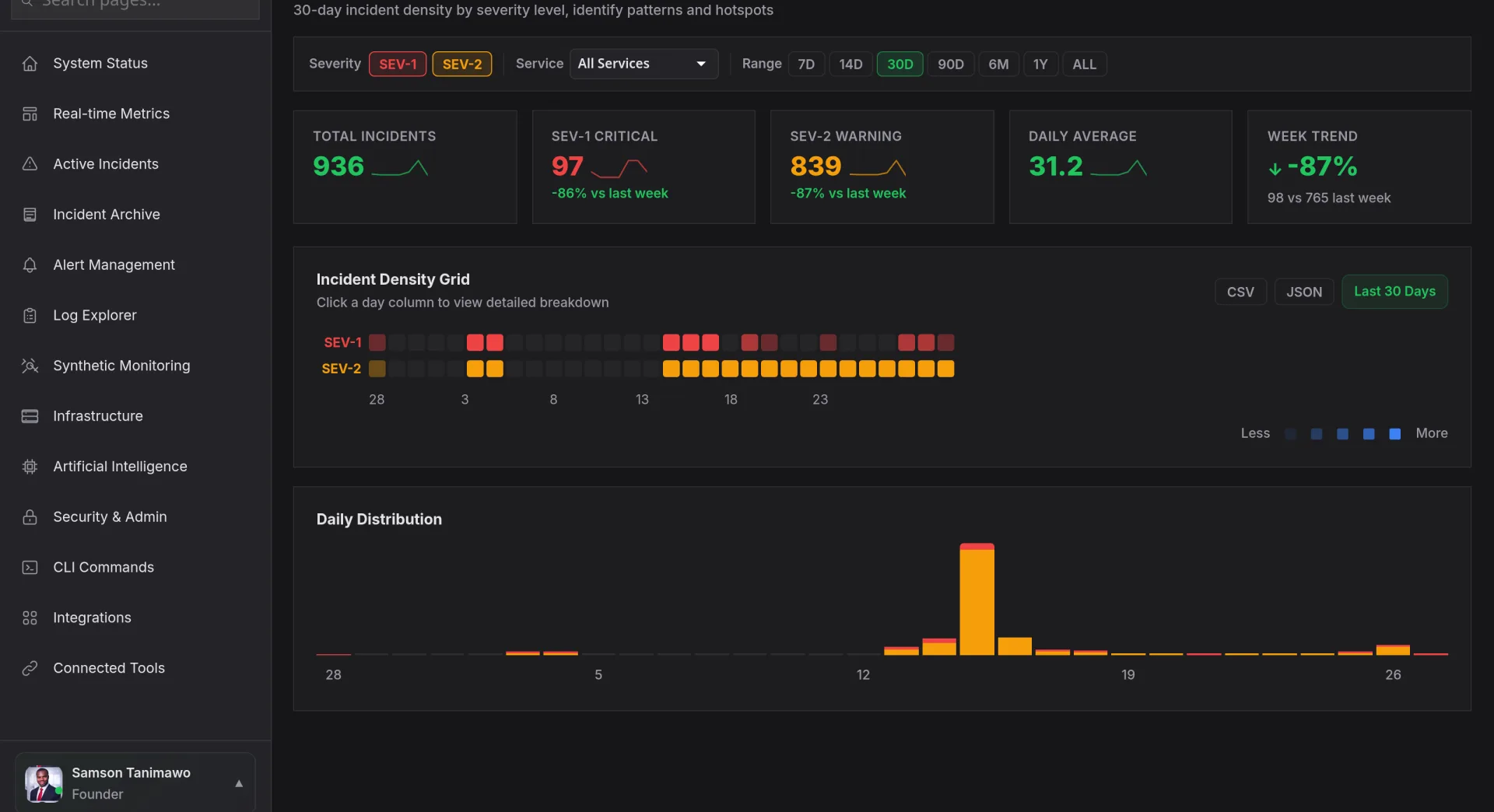
The Severity Heatmap renders your entire incident history as a color-coded calendar visualization. Each cell represents a time period, hour, day, or week, shaded by incident count and severity. Dark red cells jump out immediately, showing you exactly when your worst days were and revealing recurring patterns that spreadsheets and dashboards miss.
Start Free Trial Watch Demo
app.novaaiops.com · Severity Heatmap
● LIVE
Nova AI Severity Heatmap
Calendar
Heatmap view
5
Severity levels visualized
Pattern
Identification with AI
24h
Peak incident hours
Calendar Heatmap Visualization

365 days of incident data: visible in a single screen

The calendar heatmap shows each day of the year as a small cell, color-coded from green (zero incidents) through yellow (moderate) to deep red (severe incident volume). Hover over any cell to see the breakdown: how many SEV-1s, SEV-2s, and lower incidents occurred that day, which services were affected, and total downtime minutes. Instantly spot your worst operational days and see whether things are trending better or worse over time.

  • GitHub-style contribution grid: familiar visual pattern that makes a year of incident data scannable in seconds
  • Severity-weighted coloring: a day with one SEV-1 shows darker than a day with five SEV-4s, reflecting true operational impact
  • Click-to-drill: click any cell to expand into the full incident list for that day with timeline, services, and resolution details
app.novaaiops.com · Calendar View
Calendar heatmap visualization
Temporal Pattern Detection

Every Tuesday at 3 AM? After every sprint deploy? Nova sees the pattern.

Nova's AI analyzes your heatmap data to surface recurring temporal patterns that human review would miss. It identifies day-of-week clusters (incidents spike every Tuesday because that's deploy day), time-of-day patterns (3 AM cron job failures), monthly cycles (end-of-month traffic surges), and correlations with external events (deploy pipelines, on-call rotation changes, seasonal traffic). Each detected pattern comes with a confidence score and a recommended preventive action.

  • Day-of-week analysis: identify which days consistently have the highest incident counts and correlate with deploy schedules
  • Hour-of-day distribution: see incident density by hour across a 24-hour clock to optimize on-call staffing levels
  • Trend detection: AI flags whether incident frequency is increasing, decreasing, or stable across configurable windows
app.novaaiops.com · Pattern Detection
Temporal pattern detection
Severity Distribution Analytics

Are you fighting fewer fires: or just smaller ones?

The severity distribution panel breaks down your incident mix over time. See the ratio of SEV-1 to SEV-5 incidents month over month. Track whether your reliability investments are actually reducing high-severity incidents or just shifting them to lower tiers. Overlay deploy frequency, infrastructure changes, and team size to correlate operational improvements with the actions that caused them. Generate board-ready reports that prove your reliability program is working.

  • Severity mix tracking: stacked bar charts showing the SEV-1 through SEV-5 breakdown for each week or month
  • Service-level breakdown: filter severity distribution by service to identify which components generate the most critical incidents
  • Goal tracking: set targets like "reduce SEV-1 incidents by 30% this quarter" and track progress visually on the heatmap
app.novaaiops.com · Severity Distribution
Severity distribution analytics

Turn incident chaos into visible patterns

Visualize your entire incident history on a calendar heatmap to spot trends, measure progress, and plan improvements.

Start Free Trial Request a Demo