Live Chronological Feed
Incidents appear the second they're created: no refresh needed
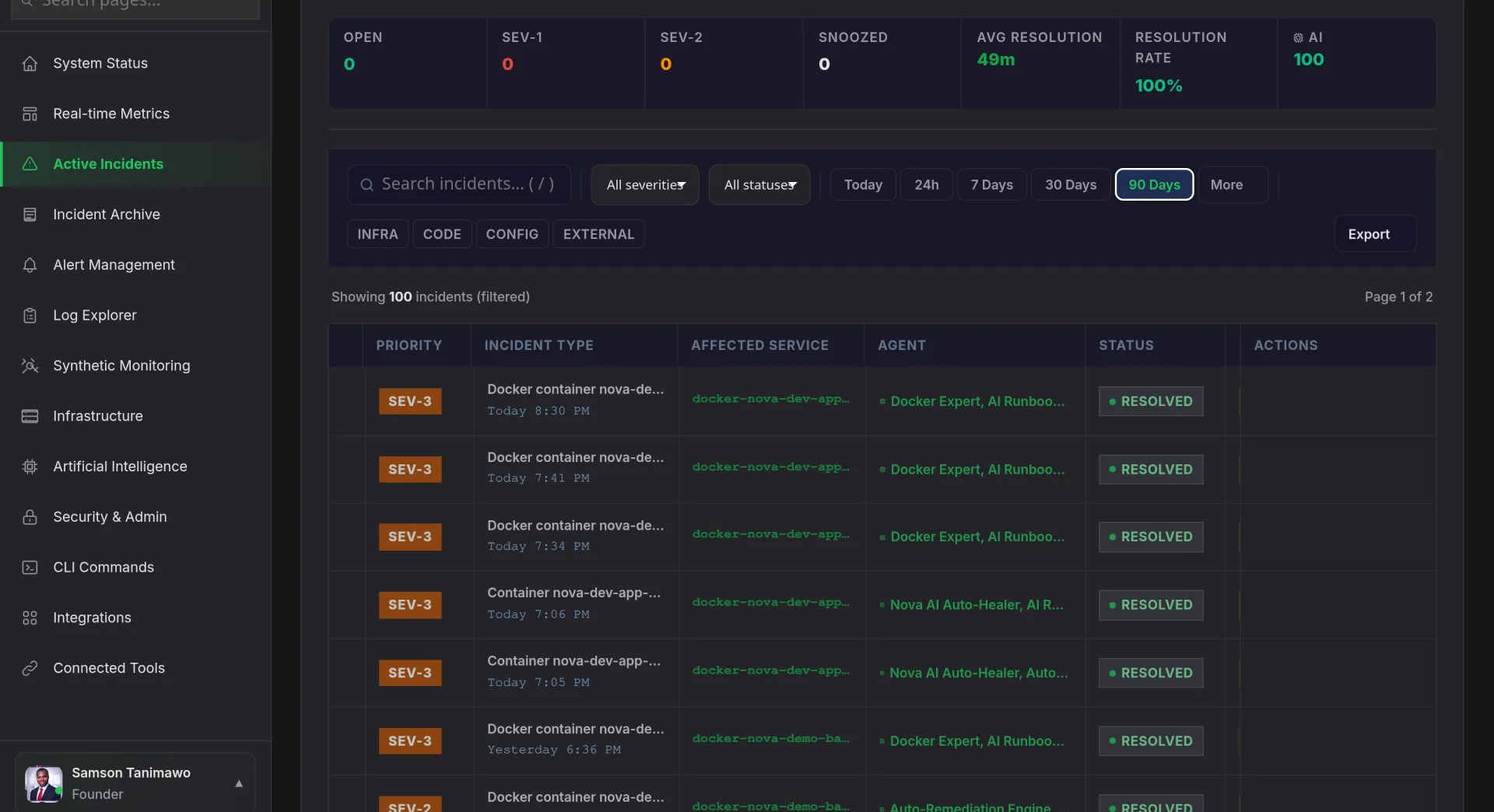
The timeline is a live, reverse-chronological stream of every incident in your organization. New incidents slide in at the top with a severity badge, affected service list, and the correlated alert count. Status changes, acknowledged, investigating, mitigated, resolved, update inline without a page reload. During a major outage, your incident commander sees the full picture without switching tabs or asking "what else is happening?"
- ✓
Sub-second latency: WebSocket connection pushes updates to every connected browser within 200ms of a state change
- ✓
Color-coded severity: SEV-1 through SEV-5 with distinct visual treatment so critical incidents are impossible to miss
- ✓
Inline actions: acknowledge, escalate, or assign responders directly from the timeline without opening the incident detail