Container Graph

See how every container
connects, depends, and performs

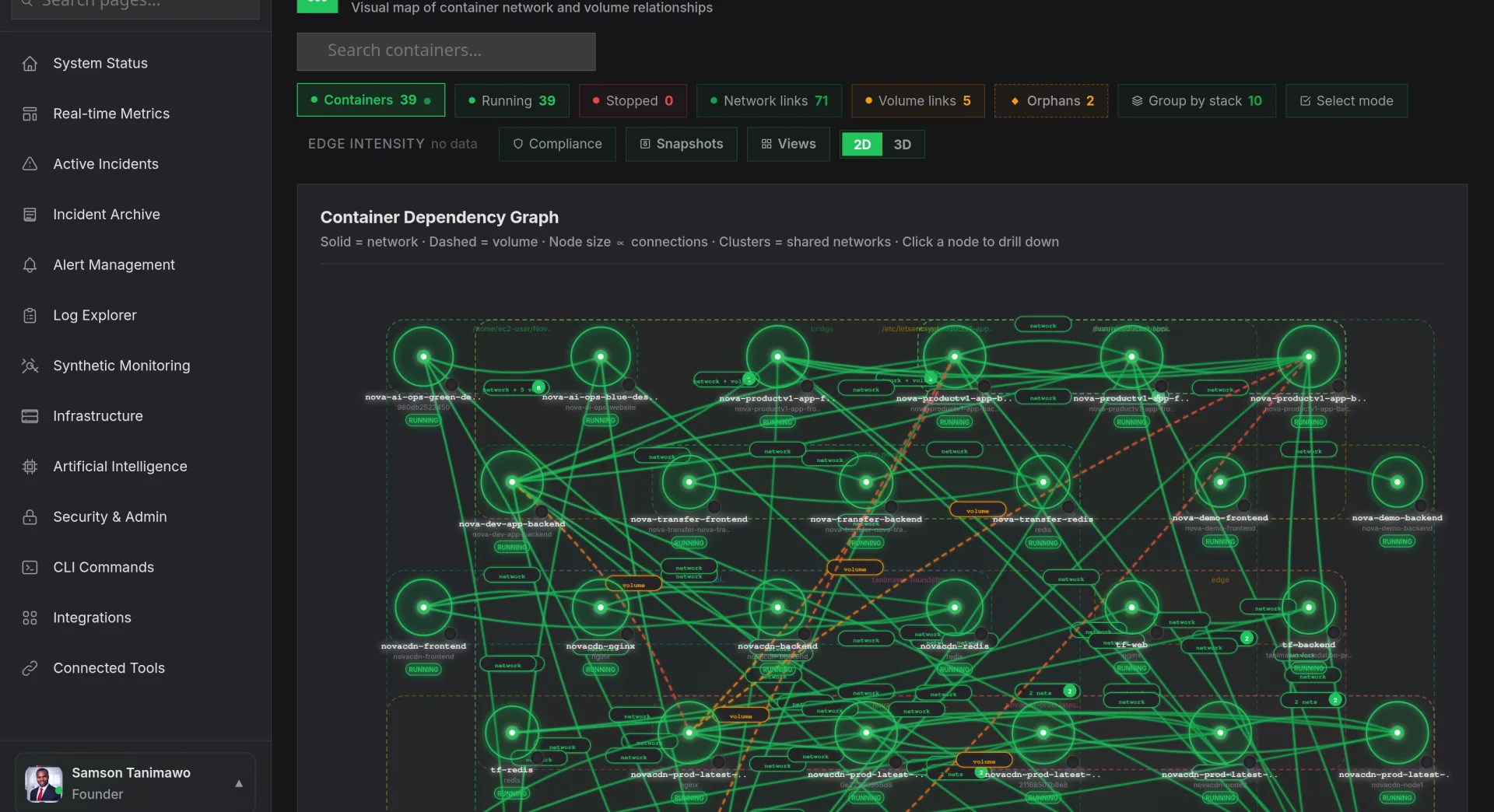
Container Graph maps your entire container topology in real time, every dependency edge, every resource hotspot, every anomalous connection. Click any node to drill into CPU, memory, and network metrics for that specific container. No more guessing which pod is dragging down the service mesh.
Start Free Trial Watch Demo
app.novaaiops.com · Container Graph
● LIVE
Nova AI Container Graph
Live
Visual dependency graph
1-click
Container-level drill-down
Real-time
Resource usage overlay
AI
Anomaly highlighting
Dependency Topology

Every container relationship, visualized in real time

Container Graph auto-discovers every connection between your containers, API calls, database queries, message queue producers and consumers, and renders them as an interactive directed graph. Nodes are sized by request volume, edges are colored by latency, and the layout updates dynamically as your infrastructure changes.

  • Auto-discovery: no manual configuration; Container Graph discovers dependencies from network traffic and service mesh telemetry
  • Namespace filtering: isolate by Kubernetes namespace, Docker Compose project, or custom labels
  • Edge metrics: hover any connection to see request rate, error rate, and P99 latency between containers
app.novaaiops.com · Dependency Topology
Container dependency topology
Resource Usage Overlay

CPU, memory, and network: overlaid on your topology

Toggle the resource overlay and every node in your container graph shifts color based on its current resource utilization. Red-hot containers stand out instantly against healthy green ones. You can switch between CPU, memory, disk I/O, and network throughput overlays to identify different kinds of bottlenecks without leaving the topology view.

  • Heat map mode: containers colored by utilization percentage make hotspots impossible to miss
  • Multi-metric toggle: switch between CPU, memory, disk, and network overlays with a single click
  • Container drill-down: click any node to see detailed resource time series, logs, and recent deployments
app.novaaiops.com · Resource Overlay
Resource usage overlay on containers
Anomaly Highlighting

Anomalous containers glow red: before they cause outages

Nova's anomaly detection engine continuously evaluates every container against its baseline behavior. When a container's error rate spikes, latency deviates, or resource consumption diverges from its normal pattern, the node pulses red on the graph with an annotation explaining what changed. You see the problem on the topology before the alert fires.

  • Baseline-driven detection: each container has its own learned baseline, not a static threshold
  • Blast radius preview: see which downstream containers will be affected if the anomalous node fails
  • One-click investigate: jump from the anomalous node directly to correlated logs, traces, and recent changes
app.novaaiops.com · Anomaly Detection
Container anomaly highlighting

Map your container dependencies in seconds

Container Graph auto-discovers every relationship in your cluster and highlights anomalies before they cascade.

Start Free Trial Request a Demo