Query Intelligence

Ask anything.
Get answers instantly.

NovaQL is a unified query language for your entire observability stack. Write structured queries with familiar Splunk-like syntax, or just type a question in plain English, to search across logs, metrics, incidents, and agent activity in a single execution. Results render as raw events, auto-generated charts, or an AI explanation of what the data means.

Start Free Trial Watch Demo
app.novaaiops.com · NovaQL
● LIVE
Nova AI NovaQL query interface
Splunk-like
Query syntax
Logs + Metrics
+ Incidents unified
Real-time
Query execution
Natural language
Query support
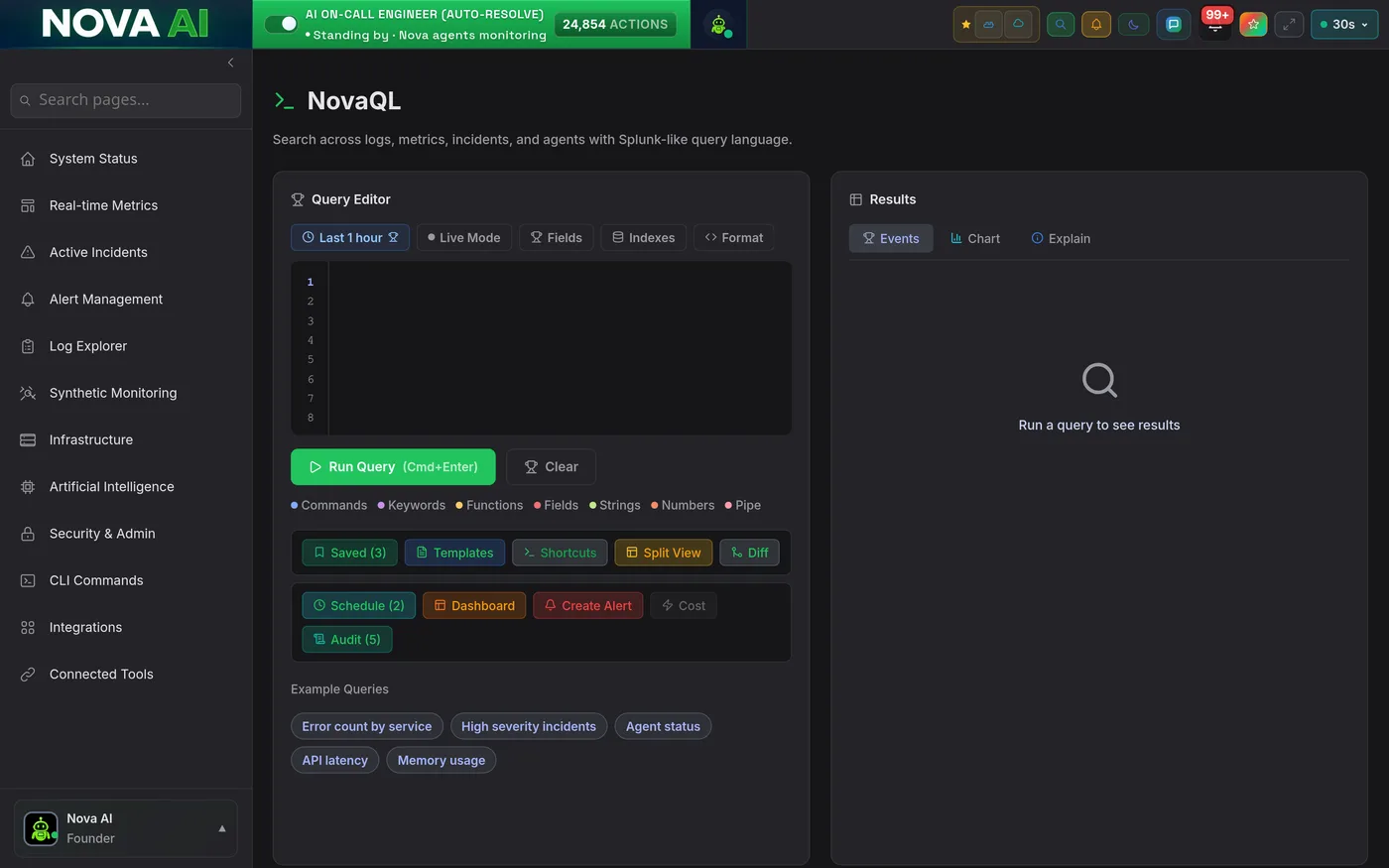
NovaQL Query Editor

One query. Logs, metrics, incidents, and agents: simultaneously.

NovaQL's multi-line editor uses a pipeline syntax that will feel immediately familiar to anyone who has written Splunk SPL or Datadog queries. Write index=prod error | stats count by service and get results across 100M+ log events in seconds. The same query language spans metrics, incidents, and agent activity, no switching tools, no copy-pasting between tabs.

  • Pipeline syntax: chain filters, transformations, and aggregations with | pipe operators, just like Splunk
  • Cross-data-type search: query logs, metrics, incidents, and agent events in a single statement with unified field names
  • Syntax highlighting & autocomplete: field name completion, function suggestions, and inline documentation as you type
app.novaaiops.com · Query Editor
NovaQL query editor
Events, Chart & Explain Tabs

Raw data, auto-chart, or AI explanation: choose your view.

Every NovaQL query returns results across three tabs: Events (raw log lines and structured records), Chart (auto-generated time-series, bar, or distribution chart based on what the data contains), and Explain (an AI-written plain-English summary of what the data shows, what's abnormal, and what it likely means for your system health).

  • Events tab: paginated raw results with field extraction, JSON expansion, and log-level color coding
  • Chart tab: Nova automatically selects the best chart type for your query's output: time-series, histogram, pie, or bar
  • Explain tab: AI writes a narrative summary: what the data shows, what's outside normal range, and recommended next steps
app.novaaiops.com · Query Results
Events, chart and explain result tabs
Example Query Library

One-click SRE queries. The most common investigations, ready to run.

Not every investigation starts from a blank query box. Nova's Example Query Library provides one-click query chips for the most common SRE scenarios, error spike analysis, latency outlier detection, agent fleet status, incident frequency trends, and more. Click a chip, the query populates, and results appear in under a second. Experienced engineers can modify them; junior engineers can run them immediately.

  • Error spike queries: one click to see error count by service, severity, and time bucket for the last 1h, 6h, or 24h
  • Latency outlier detection: pre-built P99 latency comparison query across all services with deviation highlighting
  • Agent status & incident frequency: query chips for agent health, task completion rates, and recurring incident patterns
app.novaaiops.com · Query Library
Example query library chips
Natural Language Mode

Type a question. Get a structured query. No syntax knowledge required.

NovaQL's natural language mode removes the last barrier to querying your observability data. Type "show me error spikes in the payment service over the last 6 hours broken down by endpoint" and NovaQL translates it into a structured query, executes it, and explains the results, all in under 3 seconds. Accessible to every engineer on the team, not just the ones who know the query syntax.

  • Plain English to structured query: Nova translates natural language questions into NovaQL syntax and shows you the generated query
  • Transparent translation: the generated query is always shown and editable, so you can learn the syntax over time or refine the results
  • Follow-up questions: ask follow-up questions in plain English and Nova adjusts the query, maintaining context across your investigation
app.novaaiops.com · Natural Language
Natural language query mode

Your entire observability stack. One query language.

Logs, metrics, incidents, and agents, queryable together in real-time. Start asking questions in seconds.

Start Free Trial Request a Demo